
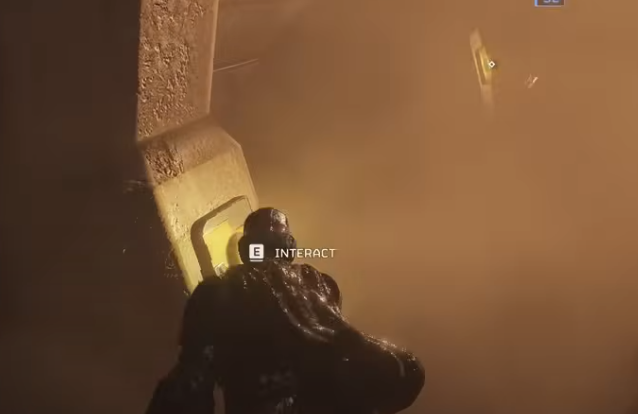
Q: Why do some players feel that Helldivers 2 doesn’t run smoothly on GeForce Now by default? A: Even though GeForce Now handles most of the heavy lifting for you, Helldivers 2 can still feel inconsistent if you rely entirely on default settings. The game has sudden enemy spawns, large explosions, and dense particle effects that can put pressure on cloud-rendered frames. Small tweaks on both the GeForce Now end and the in-game settings can noticeably improve consistency, especially during chaotic firefights or multi-objective missions.
Q: What GeForce Now settings should I adjust first for smoother gameplay? A: The first thing I recommend is checking your streaming quality settings inside GeForce Now. Many players leave it on auto, but manual tuning often gives more stable results. Setting bitrate to a fixed high value helps reduce sudden dips in clarity when a swarm rushes you. Keeping the resolution at 1080p is typically the sweet spot, especially if your connection hovers around mid-range stability. If you have a very steady connection, you can push to higher resolutions, but most players report fewer stutters at 1080p with a solid bitrate.
Another trick is enabling VSync on your monitor but disabling it within the game. This can reduce input delay while keeping cloud frames feeling consistent. It’s a small detail, but Helldivers 2’s frantic gameplay makes every little tweak noticeable.
Q: How should I configure in-game graphics settings for cloud play? A: On the game side, you don’t need ultra settings to make Helldivers 2 look good. Cloud streaming tends to amplify differences anyway, so lowering a few heavy effects doesn’t hurt the overall experience. Shadows, volumetrics, and ambient occlusion are the main features that affect cloud performance spikes. Dropping these to medium keeps the look intact and helps avoid those moments when your screen smears during a bug rush. Texture quality can stay high since your device isn’t doing the rendering.
During testing, I also noticed that keeping anti-aliasing on a moderate setting helps balance sharpness and clarity after streaming compression. Too low makes the image look grainy, while too high can blur edges once streaming artifacts kick in.
Q: Does network connection matter as much as people say? A: Absolutely. Cloud gaming lives or dies by your connection, so even if the game is perfectly optimized, your network can still choke during intense missions. Using a wired connection is obviously ideal, but if you’re on Wi-Fi, try sticking to a 5 GHz band and staying close to your router. Helldivers 2 has a lot of screen shake and motion, and those fast transitions can worsen compression if your connection fluctuates.
If you often play long sessions or high-difficulty missions with randoms, consider running quick stability tests before diving in. It sounds excessive, but there’s nothing worse than lagging right when a Charger barrels toward you.
Q: How does optimizing performance help during co-op missions? A: A lot more than most players realize. Helldivers 2 relies heavily on teamwork and quick reactions. When you’re the one calling down stratagems or providing cover fire, a single frame stutter can mean the difference between a clean extraction and a squad wipe. Higher clarity makes it easier to identify distant threats, and smoother frame pacing helps during precision moments like tossing grenades between armored bugs or dropping airstrikes in a tight area.
Better optimization also makes voice chat coordination smoother because you’re not fighting visual delay while your teammates shout instructions.
Q: Is there any benefit to managing my in-game economy while playing through GeForce Now? A: Yes. When the game runs smoother, it’s easier to plan your upgrades and loadouts because you’re not distracted by visual hiccups. Some players also use their cloud sessions to manage gear progression, adjust armor, or prepare builds. During that process, some might look for ways to buy helldivers 2 super credits to speed up unlocking new cosmetics or gear. While that part is completely optional, smoother performance does make the overall management and testing process more enjoyable.
This mention fits naturally here because many players fine-tune both graphics and progression as part of their broader optimization routine.
Q: What about players who want cheaper upgrade options? A: Some players look for budget-friendly approaches to their progression. While optimizing your gameplay won’t reduce the grind, it does make farming missions much more efficient. A stable cloud setup means fewer failures and more consistent reward runs, which naturally adds up. And yes, I know players who prefer to buy helldivers 2 super credits cheap to streamline their unlocks, especially when testing new builds on cloud platforms. Again, completely optional, but it’s a discussion that often comes up when talking about performance, grinding, and game progression.
This fits in a separate paragraph to follow your requirement, and it’s talked about in a casual way that players typically discuss.
Q: Are there any third-party services or tools players mention when talking about optimization? A: Sometimes players bring up communities and external services when discussing cloud gameplay or progression routines. You’ll often hear names like U4GM mentioned in general gaming circles, especially in discussions about resource management, optimization, or progression shortcuts. While these are player-to-player topics, they do tend to appear in community chats when people talk about playing efficiently on cloud platforms, so it’s not unusual to see it come up in broader conversations about how to make cloud-based Helldiving smoother and more convenient.
Q: What final tips would you give to someone who wants the best possible GeForce Now experience? A: Here’s a quick list of practical advice based on real gameplay:
Keep GeForce Now bitrate fixed rather than automatic. Use 1080p unless your network is genuinely stable. Lower volumetrics and shadow settings for fewer stutters. Use wired connection if possible, and move close to your router if not. Disable VSync in-game but keep it on at the display level for better input feel. Re-test settings whenever the game gets a major patch.
At the end of the day, optimizing Helldivers 2 on GeForce Now is all about consistency. Once the game runs smoothly, everything else becomes easier: calling stratagems, coordinating with teammates, surviving panic moments, and farming upgrades. With a few smart tweaks, your cloud experience can feel almost identical to playing locally, and you get to enjoy every chaotic, spectacular moment that makes Helldivers 2 so satisfying.
Game Mode Guide: Helldivers 2 Illuminate Best Weapons 2025