
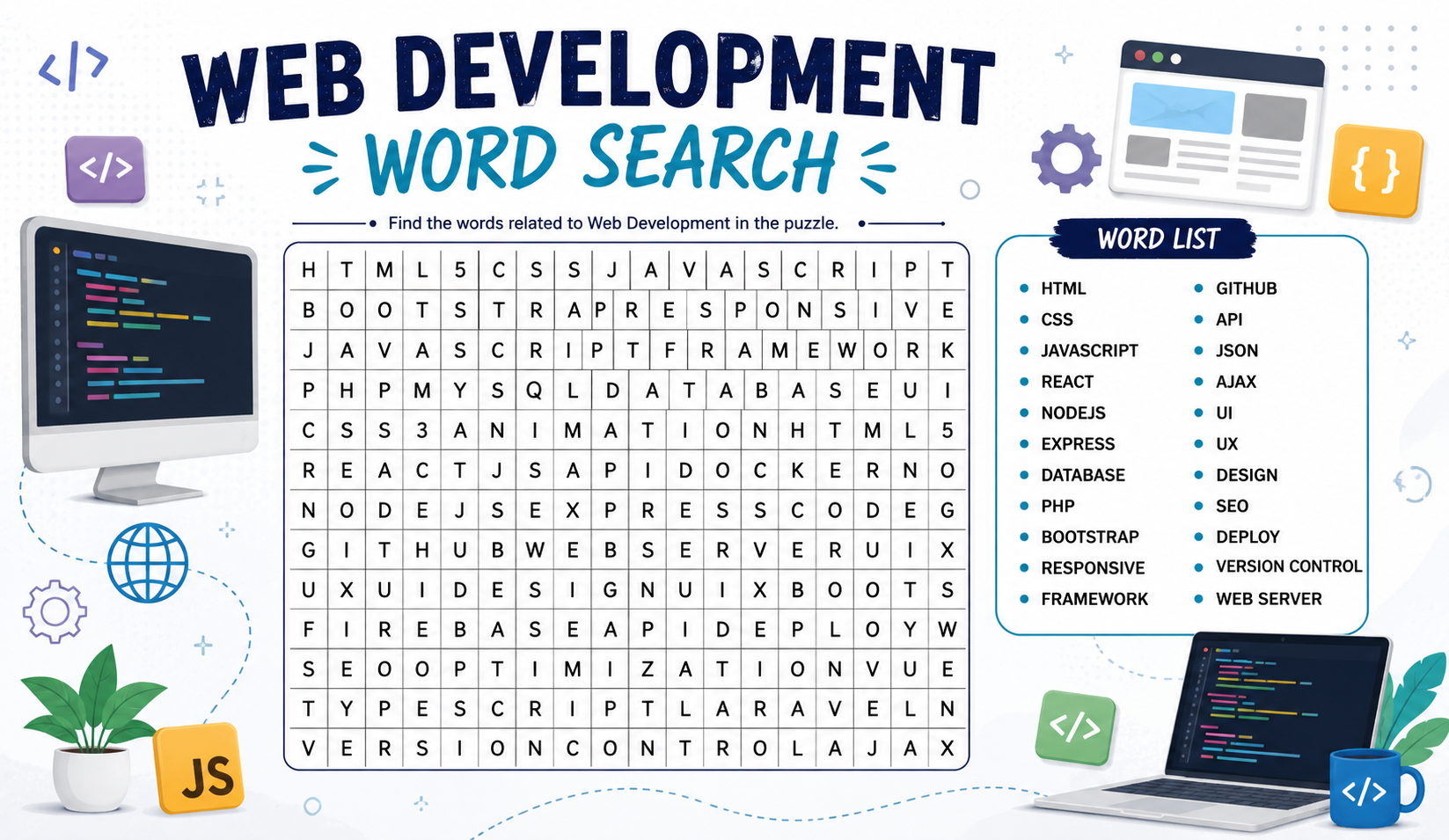
Web Development Word Search: The Ultimate Puzzle Guide for Aspiring Developers
Learning web development can feel like drowning in an ocean of unfamiliar terms. HTML, CSS, JavaScript, APIs, frameworks, repositories the vocabulary alone is enough to overwhelm any beginner.
But what if there was a surprisingly fun way to start learning all these terms before writing your first line of code?
Enter the Web Development Word Search a simple puzzle format that's quietly becoming one of the most effective learning tools for student developers, bootcamp participants, and tech educators worldwide.
In this post, I'll break down everything you need to know about web development word searches: what they are, why they work, what terms they cover, and where to find the best ones online.
What Is a Web Development Word Search?
A web development word search is a letter-grid puzzle where key web development terms are hidden horizontally, vertically, diagonally, or in reverse. Players scan the grid and circle the hidden words as they find them.
It sounds basic but that's exactly the point. The simplicity is what makes it powerful.
When you're actively hunting for a word like "JavaScript" or "Bootstrap" inside a grid of random letters, your brain engages with that term in a way that passive reading simply cannot replicate. You start to see these words, feel their spelling, and unconsciously remember them.
For anyone entering the world of web development, this is an incredibly low-barrier first step into technical vocabulary.
Why Web Developers Should Care About Word Searches
You might be thinking "I'm learning to code, not doing kindergarten puzzles." Fair point. But hear this out:
Vocabulary is the foundation of technical skill.
Before you can understand a Stack Overflow answer, read documentation, follow a tutorial, or debug your own code you need to recognize the terminology. A developer who doesn't know what a DOM, API, CDN, or responsive design is will struggle to progress, no matter how smart they are.
Web development word searches solve this exact problem by:
- ✅ Building vocabulary before complexity
- ✅ Reinforcing spelling of technical terms
- ✅ Making early learning feel rewarding and non-intimidating
- ✅ Serving as great warm-up activities in coding bootcamps and classrooms
- ✅ Helping non-technical stakeholders (managers, designers, clients) get familiar with dev jargon
Common Terms in a Web Development Word Search
A well-designed web development word search covers all major areas of the field. Here's a breakdown:
Core Languages
HTML · CSS · JavaScript · PHP · Python · SQL · TypeScript · Ruby · Swift · Kotlin
Frontend Technologies
React · Angular · Vue · Bootstrap · Tailwind · jQuery · Webpack · Sass · DOM · AJAX
Backend & Server
Node · Express · Django · Laravel · Flask · API · REST · GraphQL · Server · Database
Web Concepts
Responsive · Flexbox · Grid · Viewport · Hosting · Domain · DNS · HTTPS · SSL · CDN
Developer Tools
Git · GitHub · Terminal · Localhost · Debug · IDE · VSCode · NPM · DevTools · Repository
Database Terms
MySQL · MongoDB · PostgreSQL · Schema · Query · Table · Index · CRUD · ORM · Firestore
Design & UX
Wireframe · Prototype · UI · UX · Figma · Accessibility · Typography · Breakpoint · Layout · Theme
A single puzzle might not include all these categories — but the best ones are curated to match a specific learning level, from absolute beginner to advanced developer.
Where Are Web Development Word Searches Used?
Coding Bootcamps
Bootcamps like General Assembly, Le Wagon, and Flatiron School frequently use vocabulary exercises in their curriculum. Word search puzzles serve as an engaging pre-lesson activity that primes students for the technical content ahead.
Corporate IT Training
When companies onboard new developers or train non-technical staff on digital projects, word search handouts help make unfamiliar terminology less scary. HR and L&D teams use them in orientation kits and team-building workshops.
University Courses
Web design and development professors include word searches in lab sessions and quiz supplements. They're especially popular in intro-level CS and IT courses where engagement is often a challenge.
Online Learning Platforms
Platforms focused on gamified education embed web development word searches into their lesson flows as interactive checkpoints between video modules.
Dedicated Word Search Websites
Several online platforms now specialize specifically in IT and technology word searches. One of the best resources for this niche is IT Word Searches a site dedicated entirely to tech-themed word search puzzles including categories for web development, networking, cybersecurity, programming languages, and more. Whether you're a student or instructor, it's a fantastic starting point for finding or printing ready-made puzzles.
Pro Tips for Using Web Development Word Searches Effectively
Getting the most out of a puzzle isn't just about finding all the words. Here's how to turn it into a real learning session:
Define as you find Every time you circle a word, write its definition in your own words beside the grid. This transforms a passive puzzle into an active study session.
Time yourself Set a 10-minute timer. The slight pressure of a countdown activates focus and makes the activity feel more like a challenge than a chore.
Theme your puzzles Instead of general web development, try themed puzzles: "Frontend Only", "Database Terms", or "Version Control Vocabulary". This makes revision more targeted and effective.
Use it as a pre-test Before a lesson or training module, hand out the puzzle. The words participants struggle to find often signal the exact concepts they'll need the most help understanding.
Make it social Run a word search race in pairs or small groups. First team to find everything wins. Instant engagement, zero setup cost.
Printable vs. Digital Web Development Word Searches
| Feature | Printable (PDF) | Digital/Interactive |
|---|---|---|
| Best For | Classrooms, Bootcamps | Remote Learning, Apps |
| Device Needed | Printer | Phone/Laptop |
| Sharing | Physical handout | Link or embed |
| Customization | Manual edit | Automated tools |
| Answer Check | Manual | Auto-highlight |
| Cost | Free to print | Free (most tools) |
Both formats serve their purpose well. For live classroom environments, printed versions create a heads-down, screen-free focus moment. For remote or hybrid settings, digital interactive puzzles are far more practical.
Web Development Word Search for Absolute Beginners
If you're just starting out and the full list of dev terms feels overwhelming — don't worry. A beginner-level web development word search typically only includes the most fundamental 10–15 words:
HTML · CSS · Code · Browser · Link · Image · Style · Page · Script · Tag · Font · Color · Table · Form · Button
These words form the absolute foundation of web literacy. Mastering them even just visually recognizing their spelling gives beginners a real confidence boost before their first coding exercise.
Final Thoughts
The world of web development is vast, fast-moving, and packed with terminology that can intimidate even the most determined learner. But every expert developer started somewhere and often, that somewhere was a simple exercise like recognizing and understanding basic vocabulary.
A Web Development Word Search bridges the gap between complete beginner and technically curious. It requires no prior knowledge, no special tools, and no screen time beyond a printer or phone. Yet it plants seeds of familiarity that grow into genuine technical confidence over time.
Whether you're a student preparing for your first HTML lesson, an instructor designing a fun class warm-up, or a manager trying to understand what your dev team talks about all day a web development word search is worth five minutes of your time.
Give it a try. You might be surprised how much you already know and how much more you'll remember after.