
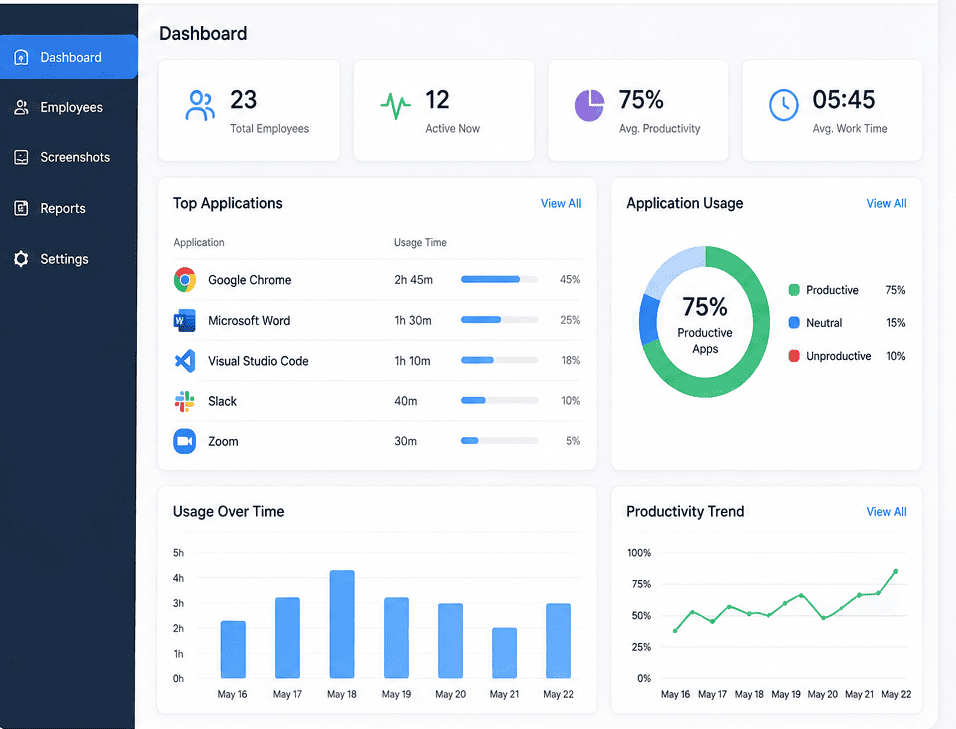
Every day, your team relies on dozens of tools to get things done. From messaging tools and design systems to spreadsheets and project boards, your business runs on software. But do you actually know how these tools are being used?
Many businesses waste thousands of dollars every year on software licenses that nobody ever opens. At the same time, teams might be working with slow tools that hurt their daily output. This is where Application Usage Tracking comes into play.
As a software manager or business leader, understanding how your team spends time on different systems is the secret to cutting costs and boosting daily output. This guide will explain everything you need to know about tracking your software tools effectively.
Why Application Usage Tracking Matters for Businesses
At its core, Application Usage Tracking is the practice of monitoring and measuring how people use software tools within an organization. It helps you see which systems are popular, which ones are ignored, and where your workflows might be broken.
Here is why keeping an eye on your software use is so important for modern teams:
- Cutting Unnecessary Software Costs
The most immediate benefit of tracking your tools is finding waste. It is very common for a company to buy 100 licenses for a premium tool, only to find out that only 40 people actually log in. By monitoring these patterns, you can cancel unused accounts and save a significant amount of money during your next contract renewal.
- Improving Team Productivity
When you see exactly how much time employees spend on specific systems, you can easily spot roadblocks. For example, if a customer service team spends four hours a day manually moving data between two separate tools, it tells you that you need a better integration. Tracking helps you remove friction so your team can focus on meaningful work.
- Boosting Security and Compliance
When employees use random, unapproved tools to do their jobs, it creates a major security risk. This is often called "Shadow IT." By using tracking software, tech managers can quickly spot unauthorized systems and protect sensitive company data from potential leaks.
Key Features to Look For in Tracking Systems
If you want to start tracking how software is used in your company, you need the right system. A good tracking tool should do more than just count logins. Look for these essential features:
- Real-Time Monitoring: You should be able to see a live picture of what tools are running across your team right now.
- Time Allocation Logs: The system must show the exact hours and minutes spent inside each specific software.
- Automated Reports: Look for tools that send weekly summaries directly to your email, highlighting trends and sudden changes in software use.
- Alerts for Unapproved Tools: The system should notify your tech team the moment someone installs a risky or unapproved program.
How to Set Up a Tracking System Successfully
Introducing any kind of monitoring can make employees feel nervous about their privacy. To make this transition smooth and successful, you should follow a clear, open process.
Step 1: Talk to Your Team First
Never install tracking software in secret. Be completely open with your team about why you are doing this. Explain that the goal is to cut waste and make their daily jobs easier, not to micro-manage their every move.
Step 2: Set Clear Rules
Create a simple policy document that explains what data is being collected and how it will be used. Make sure your employees know that their personal privacy is fully protected and that the system is only looking at business tools.
Step 3: Start with a Small Group
Before rolling out the system to the entire company, test it with one small team first. This allows you to fix any technical glitches and learn how to read the data reports properly.
Step 4: Review and Take Action
Once the system is running across the company, set aside time every month to look at the data. Use these insights to cancel unused accounts, upgrade popular tools, and offer extra training to employees who might be struggling with complex software.
Common Mistakes to Avoid
Even with the best intentions, things can go wrong if you do not handle tracking carefully. Avoid these common traps:
- Focusing Only on Hours: Do not judge an employee's value simply by the number of hours they spend in a specific tool. Quality of work matters much more than time spent staring at a screen.
- Ignoring Data Privacy Laws: Make sure your tracking methods follow local privacy regulations. Always protect sensitive employee information.
- Forgetting to Update Policies: As your company grows and buys new software, your tracking rules must change too. Review your setup at least once a year.
Final Thoughts
Implementing Application Usage Tracking is one of the smartest moves a growing business can make. It takes the guesswork out of your software budget and gives you the clear facts you need to build a faster, happier, and more secure workplace.
By choosing the right tools and staying completely open with your team, you can eliminate digital waste and help everyone perform at their absolute best.
Frequently Asked Questions
Is tracking software usage legal?
Yes, it is entirely legal for businesses to track software usage on company-owned devices and networks. However, you should always check your local privacy laws and be open with your employees about what you are monitoring.
Will tracking software slow down our computers?
Modern tracking tools are designed to be very lightweight. They run quietly in the background without using much memory, so your team will not notice any drop in computer performance.
How does this help with remote teams?
For remote or hybrid teams, tracking gives managers visibility into daily workflows without needing constant check-ins. It helps ensure that remote workers have the exact tools they need to stay connected and productive from home.