
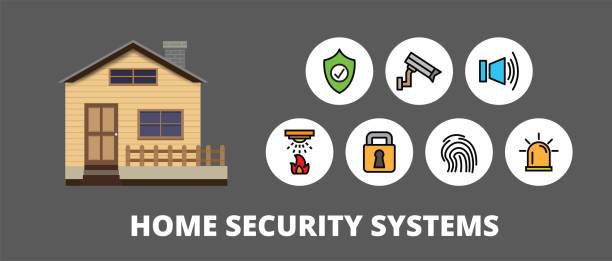
A home security system is no longer a luxury reserved for large houses or expensive properties. Modern technology has made reliable home protection more affordable, smarter, and easier to manage than ever before. Whether you live in an apartment, townhouse, or family home, understanding how security systems work can help you protect your loved ones, valuables, and peace of mind.
If you're wondering where to start, this Home Security System Guide for Beginners explains the essential components, how different systems operate, and what features matter most. It also answers common questions that new homeowners and renters ask when comparing security solutions, making it easier to choose a system that fits your lifestyle and budget.
What Is a Home Security System?
A home security system is a network of connected devices designed to detect, prevent, and respond to potential security threats. These systems typically combine sensors, cameras, alarms, and monitoring technology to protect a property from burglary, unauthorized entry, fire, or other emergencies.
Modern smart home security systems do much more than sound an alarm. They can send real time notifications to your smartphone, record video footage, integrate with smart locks, and even allow remote monitoring from virtually anywhere. This shift toward connected technology has made home protection more convenient while improving overall security.
Why Home Security Matters
Home security is about more than preventing theft. A well designed system helps deter criminals before they attempt to enter, provides valuable evidence if an incident occurs, and gives homeowners confidence whether they are sleeping, working, or traveling. Many systems also include smoke, carbon monoxide, and water leak detection, offering protection against risks beyond intrusions.
Understanding the Main Components of a Security System
Every effective security system combines multiple devices that work together. Knowing how these components interact helps beginners make informed purchasing decisions rather than choosing products based solely on price or advertising.
Door and window sensors detect when an entry point is opened unexpectedly. Motion detectors monitor movement inside protected areas and can trigger alarms if suspicious activity occurs. Security cameras capture live video and recorded footage, providing both deterrence and evidence when needed.
The control panel acts as the central hub, connecting every device and allowing users to arm or disarm the system. Many newer systems also include mobile apps that make remote management simple. Smart locks, video doorbells, and outdoor lighting can further strengthen home protection by improving visibility and controlling access.
Choosing quality devices that communicate reliably is often more important than purchasing the largest number of gadgets. A balanced system with dependable performance usually provides better long term value than an oversized setup with unnecessary features.
If you're also planning broader improvements, explore home upgrading decoradtech to understand how security technology fits naturally into modern home upgrades.
Choosing the Right Home Security System
Selecting the right system depends on your property, budget, and personal priorities rather than a single "best" solution. Homes with multiple entry points may require additional sensors, while apartments often benefit from compact wireless systems that are easy to install and remove.
Wired vs. Wireless Systems
Wired security systems are known for stable connections and are commonly installed during new construction or major renovations. They require professional installation but generally need less battery maintenance.
Wireless systems have become increasingly popular because they install quickly and offer greater flexibility. They communicate through Wi Fi or dedicated wireless protocols, allowing homeowners to expand their systems as their needs change. For beginners, wireless solutions usually provide the easiest path to comprehensive protection without extensive installation work.
Professional Monitoring or Self Monitoring?
Professional monitoring means a security company receives alerts when alarms are triggered and can contact emergency services if necessary. This option provides continuous oversight, especially when homeowners are away.
Self monitoring sends alerts directly to the homeowner through a mobile application. This approach eliminates monthly monitoring fees while giving users full control over responses. The best choice depends on your schedule, travel habits, and comfort level with managing emergencies independently.
Smart Features Worth Considering
Today's security systems offer capabilities that extend far beyond traditional burglar alarms. Artificial intelligence, cloud connectivity, and automation have transformed home security into a proactive safety solution.
High definition cameras with night vision provide clear images regardless of lighting conditions. Two way audio allows communication with visitors through video doorbells, while facial recognition and person detection reduce unnecessary alerts caused by pets or moving objects.
Smart automation can lock doors automatically, activate outdoor lights when motion is detected, or adjust security settings based on whether family members are home. These connected features improve convenience while reducing opportunities for unauthorized access.
Cloud storage ensures important recordings remain available even if a camera is damaged or stolen. Some homeowners prefer local storage for additional privacy, making it worthwhile to compare storage options before purchasing equipment.
Installation Tips for Beginners
Installing a security system successfully begins with careful planning rather than simply placing devices wherever space is available. Cameras should cover primary entrances, driveways, and vulnerable outdoor areas without pointing directly into neighbors' private spaces.
Motion sensors perform best when positioned to detect movement across a room instead of directly facing windows where sunlight may cause false alarms. Door and window sensors should protect the most commonly used entry points first before expanding coverage to secondary locations.
Testing every device after installation is essential. Sensors, cameras, notifications, and backup power should all function correctly before relying on the system for daily protection. Regular software updates also improve security by addressing vulnerabilities and adding new features over time.
Common Mistakes First Time Buyers Should Avoid
Many beginners assume that buying more cameras automatically creates better security. In reality, strategic placement and reliable coverage matter far more than quantity. Blind spots often remain when cameras are installed without considering viewing angles or lighting conditions.
Another frequent mistake is ignoring cybersecurity. Because modern systems connect to the internet, strong passwords, two factor authentication, and updated firmware are just as important as physical locks and alarms.
Some homeowners also overlook emergency backup options. Battery backups and cellular communication can keep security systems functioning during power outages or internet interruptions, ensuring continuous protection when it's needed most.
Maintaining Your Home Security System
A security system requires regular maintenance to remain effective. Cameras should be cleaned periodically to prevent dust or weather from reducing image quality. Batteries in wireless sensors should be replaced before they become unreliable, and system tests should be performed several times each year.
Reviewing recorded footage occasionally helps verify that cameras capture the desired areas and maintain clear visibility. As your household changes, you may also need to adjust access permissions, update emergency contacts, or expand coverage to newly renovated spaces.
Routine maintenance ensures every component performs as expected and reduces the likelihood of unexpected failures during an actual emergency.
Frequently Asked Questions
Is a home security system worth it for beginners?
Yes. Even a basic security system can deter potential intruders, improve emergency awareness, and provide greater peace of mind. Beginners can start with essential devices and expand gradually.
Can I install a security system myself?
Many wireless systems are designed specifically for DIY installation. They include step by step instructions and mobile apps that simplify setup without professional assistance.
Do home security systems work during power outages?
Many modern systems include battery backups, and some professional monitoring services also use cellular connections to remain operational if internet service fails.
What is the difference between monitored and unmonitored systems?
Monitored systems notify a professional monitoring center during emergencies, while unmonitored systems send alerts directly to the homeowner, who decides how to respond.
How often should I update my security system?
Check for firmware updates regularly and review your equipment annually. Upgrading older devices every several years helps maintain compatibility, cybersecurity, and performance.
Conclusion
Choosing a home security system may seem overwhelming at first, but understanding the basics makes the decision much easier. By focusing on reliable equipment, thoughtful placement, and features that match your daily routine, you can build a system that provides meaningful protection without unnecessary complexity.
As home security technology continues to evolve, the most effective systems combine physical protection with smart connectivity, strong cybersecurity, and user friendly controls. Rather than chasing every new feature, prioritize dependable performance, regular maintenance, and a solution that fits your home's unique needs. This approach creates lasting security while giving you confidence that your property and family are protected today and well into the future.